Safety Cloud's latest release introduces the new Safety Cloud mobile app, Mutual Aid Sharing, Asset Activity Reports, Dashboard Clustering, and an in-product Knowledge Base.
Introducing the Safety Cloud Mobile App, Mutual Aid, and More
This summer's Safety Cloud release marks our biggest step yet toward putting real-time access and visibility wherever your team is working. We're introducing the Safety Cloud mobile app, expanding Mutual Aid Sharing to every public safety agency, enhancing Dashboard tools, launching a new report type for measuring Asset Activity, and opening up a new in-product Knowledge Base. Each of these enhancements is available to Safety Cloud users now.
Safety Cloud Mobile: Access in Your Pocket
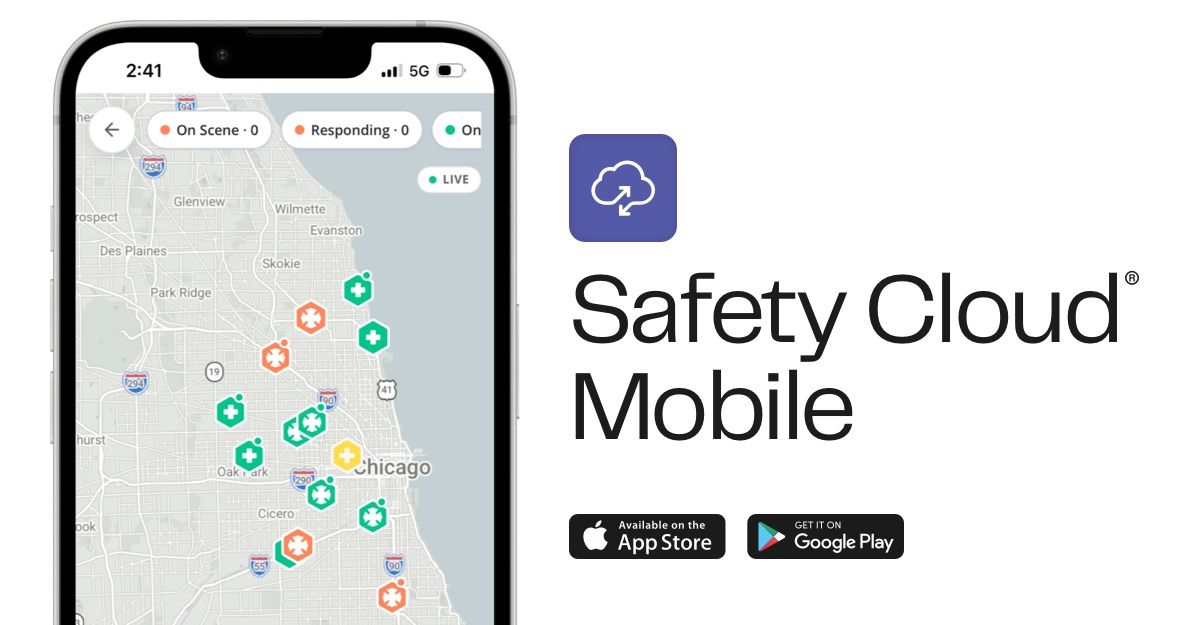
Until now, the Safety Cloud Dashboard has lived on the desktop. With the new Safety Cloud mobile app available on Apple iOS and Android, access to tools and information goes wherever you do. Command staff and field personnel can now see live vehicle or equipment activity, monitor incidents, and share safety data directly from the phone they already carry.
The app opens on a live map of your operations. Every vehicle appears with its current status, and an expandable list keeps the whole roster within reach. Tap any vehicle to see its speed, last check-in, and location, all streaming live and current to the second. For agencies running hundreds of assets, map clustering keeps the view readable at any scale.
Beyond your own fleet, the app gives you a shared operating picture of what's happening on the road. A live incident map shows active and recent events across your organization, so a chief can know who is responding and who is on scene without a single radio call. When a user is on a scene, they can create a hazard at their location, choose a type and add an optional message, and have it appear on the fleet's Live Map to alert nearby drivers through navigation apps. And when the response is over, monthly activity reports are available right in the app, shareable by email in a single tap for renewals, budget reviews, or a briefing to leadership.
Mutual Aid Sharing: Real-Time Coordination Across Agencies
When an incident outgrows what a single department can handle, help comes from next door. Fire and responder agencies everywhere depend on mutual aid, sending apparatus and crews across jurisdictional lines to back each other up. But knowing which units a partner agency can actually spare, and where those units are right now, has traditionally meant phone calls, radio traffic, and rosters that go stale the moment they’re written down. In a fast-moving response, that gap between what’s available and what a commander can see slows down the lifesaving coordination that mutual aid is built on.
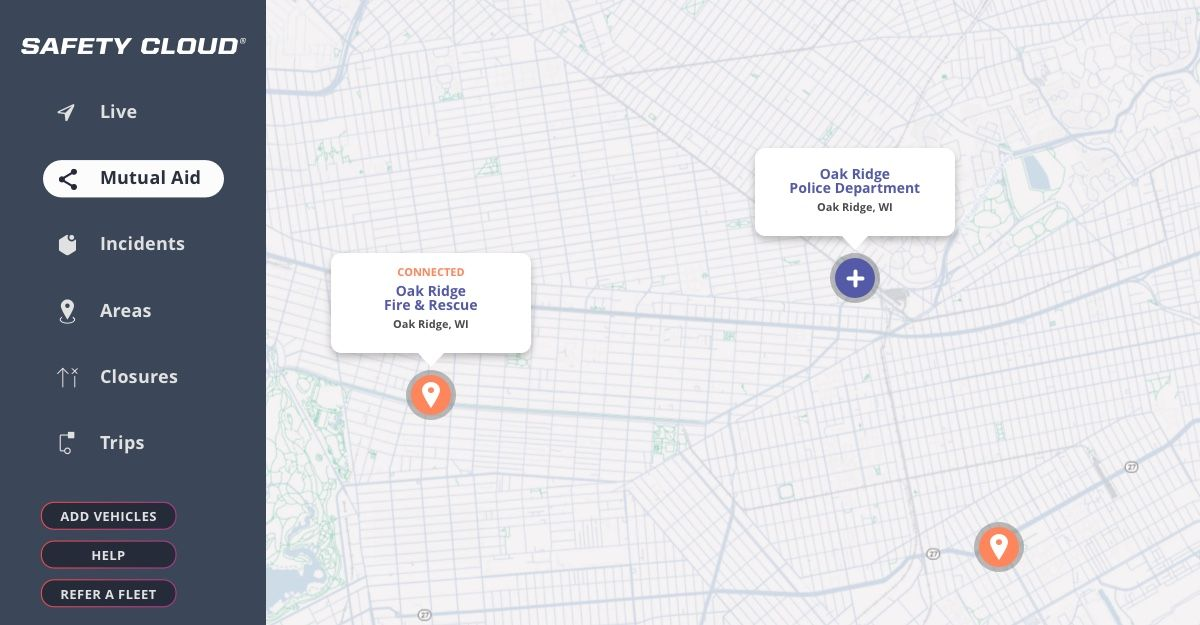
Now available to every Safety Cloud public safety agency, the new Mutual Aid tool in the Dashboard lets you share real-time fleet visibility with your mutual aid partners and other trusted agencies on Safety Cloud. Access a list of nearby Safety Cloud-connected agencies in your area and request connection with a single click. Once approved, each agency will be able to see their partner agency’s apparatus locations and status live.
The result is faster, safer coordination for mutual aid responses, regional task forces, planned events like parades and drills, and large-scale disaster response. Mutual Aid has always been a core part of emergency response; now, Safety Cloud makes it smarter and faster than ever, so that agencies can focus on their mission.
Asset Activity Reports: Performance, Asset by Asset
Until now, your monthly report has told you how your fleet performed as a whole. It's a useful picture, but it groups every vehicle together into one set of totals, which leaves a lot of questions unanswered. How busy was one particular asset last month? How do two crews compare? What happened over a single shift?
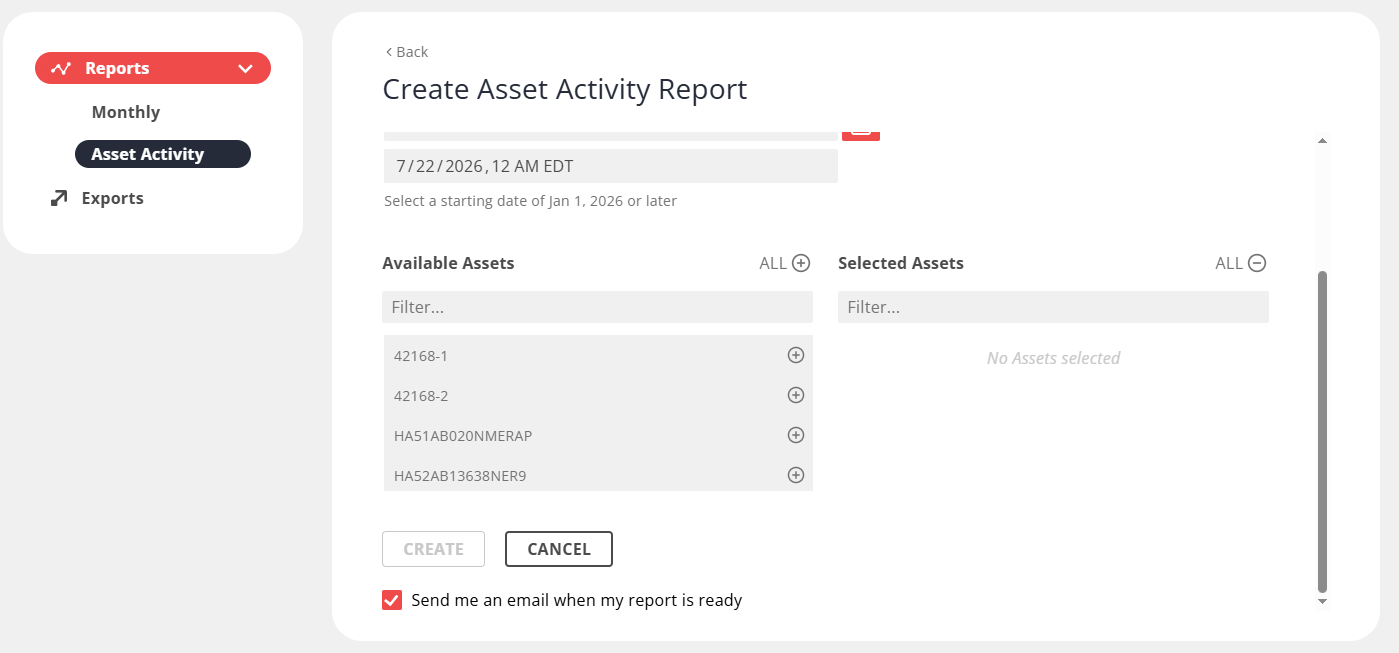
Asset Activity Reports answer those questions. Generated on demand rather than on a monthly schedule, they let you choose any date range and any set of assets, then see response metrics broken out for each one: drivers alerted, total incidents, average time on-scene. For public safety agencies, you’ll also see total runs, total responding time, average time-to-scene, and Responder-to-Responder alerts sent and received for vehicles equipped with R2R. A Summary Totals page adds the same metrics up across all selected assets, so the top-level picture and the per-asset detail arrive in the same report.
Creating one takes a few clicks. Open Asset Activity under Reports, click Create New, name the report, set your start and end dates, and choose the assets you want to include. Reports generate in the background and can email you when they're ready, so there's no need to wait on the page. Every finished report exports as a PDF, ready to attach to an after-action review, a grant application, or a budget request.
Dashboard Clustering: A Readable Map at Any Scale
As fleets on Safety Cloud have grown, so has the challenge of reading a map covered in hundreds of assets. Vehicles in the same area could overlap and crowd the view, and while Group View and Density View helped, large fleets needed a cleaner way to take in the whole picture at a glance.
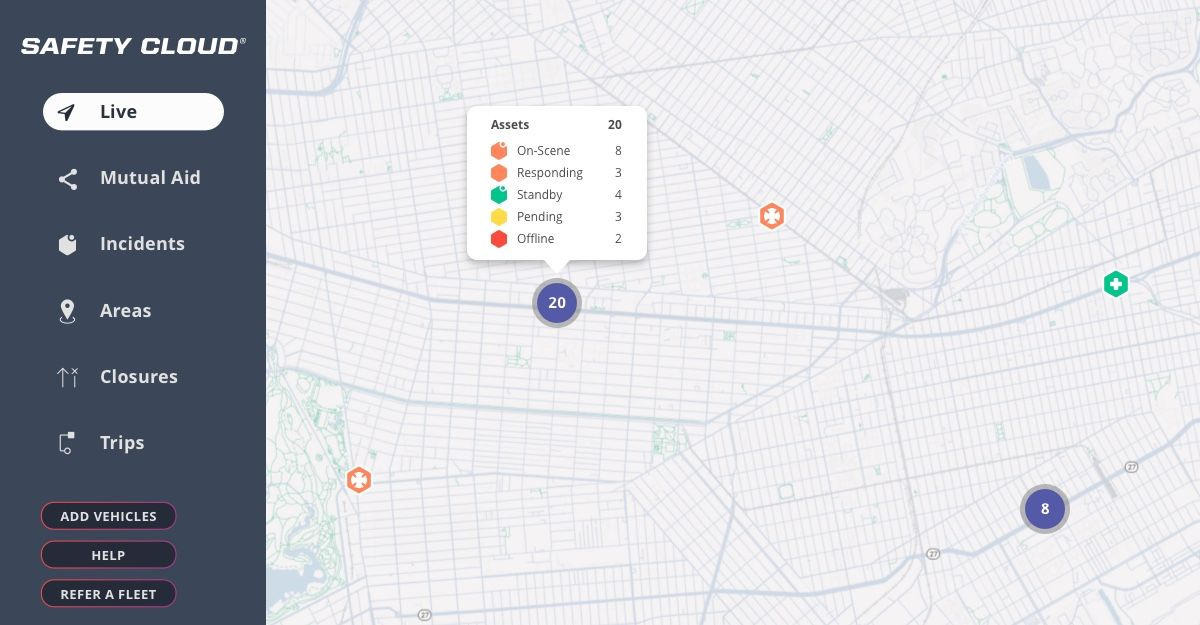
The new Cluster toggle solves it. Turn it on from the map display, and overlapping assets automatically collapse into a single icon that shows the total number of vehicles it contains. Hover over a cluster and a pop-up breaks out the included assets by status; click it and the map zooms to fit them all in view. You can keep hovering and clicking to zoom in on exactly what you need, moving from a clean top-level picture to full detail in a couple of steps. Clustering works across the Dashboard and the new mobile app, scaling from a handful of trucks to thousands.
Knowledge Base: In-Product, In-Depth Support
The Dashboard has more tools and features than ever, and we want to make sure you have the best possible support and guidance for making the most of them. That’s why we’ve built a new Knowledge Base, available to Safety Cloud users right from the Dashboard. Just click the “Help” button to access it, and you’ll find more detailed, granular guidance than we’ve ever offered before.
Inside, you'll find step-by-step articles on how Dashboard features work and how to apply them to your operations, so your team can get answers on its own schedule and discover new ways to make the most of Safety Cloud. Going forward, every new Dashboard feature will arrive with supporting Knowledge Base material, so the resource grows alongside the product. Just click Help in your Dashboard to explore it.
Available Now
Every enhancement in this update is live for Safety Cloud users today. The Safety Cloud mobile app is available to download on the iOS App Store and Google Play Store, Mutual Aid Sharing, Dashboard Clustering, and Asset Activity Reports are ready in your Dashboard now, and the Knowledge Base is one click away under Help.
For questions about any of these features, or to talk through how your agency is using Safety Cloud in its safety program, contact our team at support@haasalert.com. Keep an eye on our blog in the months ahead for more updates on new Safety Cloud features and functionality.





Heading
Lorem ipsum dolor sit amet, consectetur adipiscing elit. Suspendisse varius enim in eros elementum tristique. Duis cursus, mi quis viverra ornare, eros dolor interdum nulla, ut commodo diam libero vitae erat. Aenean faucibus nibh et justo cursus id rutrum lorem imperdiet. Nunc ut sem vitae risus tristique posuere.
CLICK TO DOWNLOAD NOW